How a Small ML Project Accidentally Helped Me Solve AI's Biggest Problems: Memory & Hallucination

Steve Oak (Okkar Kyaw)
Prefer Audio Experience? Listen below 👇
AI is incredible. Transformers and attention mechanisms changed the world in a few years. We can automate almost everything now. But here's what nobody talks about enough: the moment you push past the context window, everything falls apart.
There are solutions out there. Improvements. Workarounds. None of them are permanent fixes.
The pains we all face? Memory and hallucination. Working with LLMs feels like managing a kid with ADHD sometimes. They completely forget halfway through what they were doing. No memory. And when there's no memory, hallucination follows. You can do compaction, sure. Doesn't help much.

So how do we actually solve it? Memory. Okay, but how? Markdown. JSON. Indexing. RAG. GRAPH.
Confused? Good. Let me walk you through how a small ML project taught me more about fixing AI's fundamental problems than any tutorial ever could.
The origin story
Last semester of my Masters in CS. Machine Learning course. I had to work on an ML project alongside my Capstone (EcoSmartLoop, trying to solve a $640 billion waste management problem). I wanted to work on something that solved a real problem I was actually facing.
Job search.
Layoffs happening for senior talent. Market's brutal for juniors. New AI roles popping up everywhere. Lots of job platforms appearing. The problem? None of them are tailored to you.
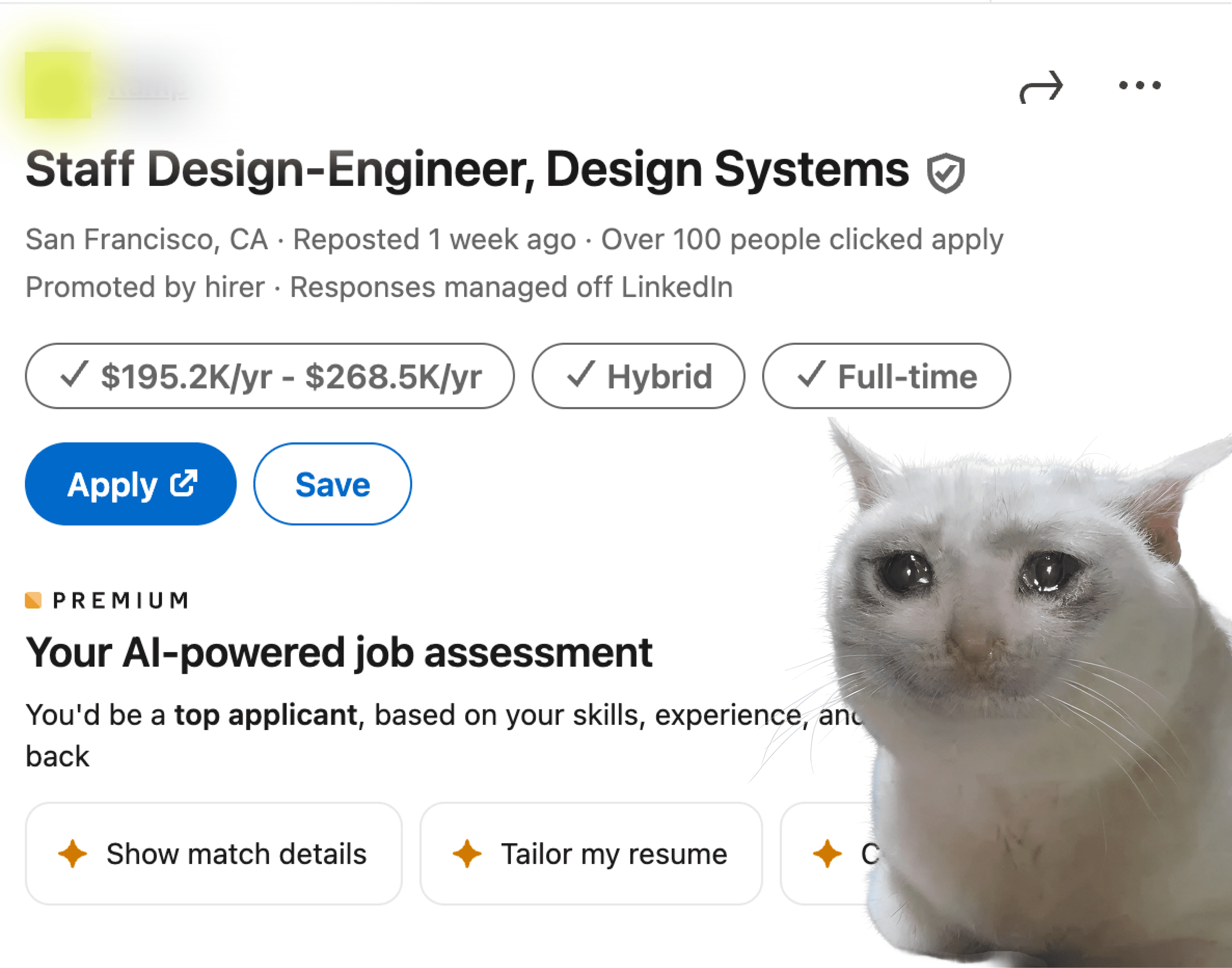
LinkedIn's Job Search AI is limited. ChatGPT and general LLMs are worse. All these new job platforms? Same limitations.
Not because they can't do better. It just makes more sense for them to provide a general experience for everyone. AI features cost a lot of resources. So here's the reality: no company will ever provide actually tailored suggestions for you individually. It's not their fault. They have competition, demands, and they can't prioritize your specific needs.
Don't blame them. Blame yourself.
With all these powerful tools available now, why not build something tailored for your own needs?
That thought stuck with me. I decided to build a mini project that could provide actual tailored suggestions based on user profile, resume documents, job descriptions, company info, real match scores. Everything that matters.
SOKK: the job search project
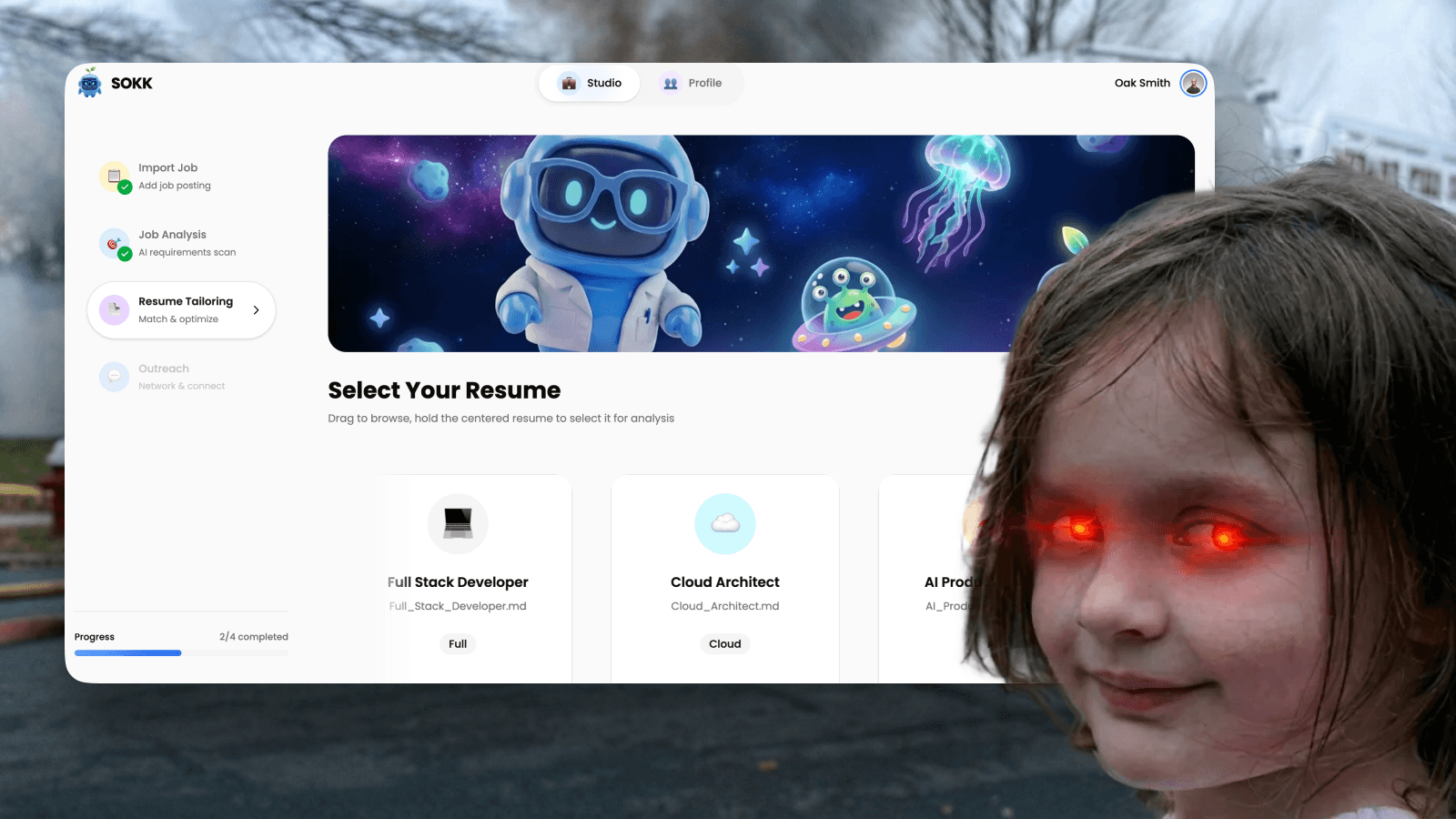
SOKK (Smart Outreach & Knowledge Keeper). An ML-powered career assistant. Here's the core problem I was solving: when you ask ChatGPT for resume advice, about 24% of suggestions are fabricated. Skills the job doesn't require. Experience you don't have. Requirements that don't exist in the posting. You can't tell what's real from what's hallucinated.
My approach: verify before showing anything to users. Simple idea, but different from everyone else.
The dual-gate architecture
Most AI assistants generate first, check later (or never). SOKK flips this. Every suggestion passes through two verification gates before you see it.
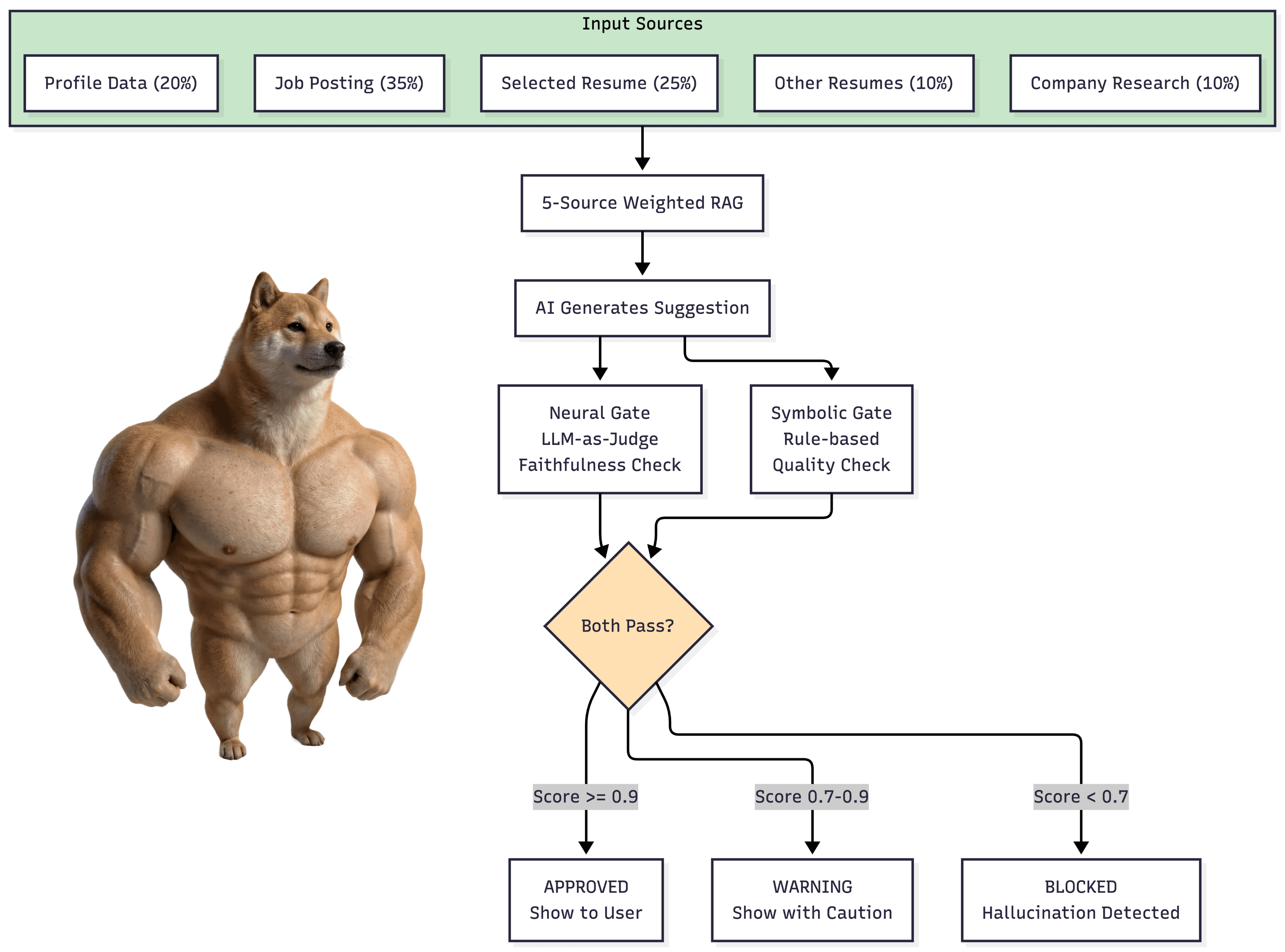
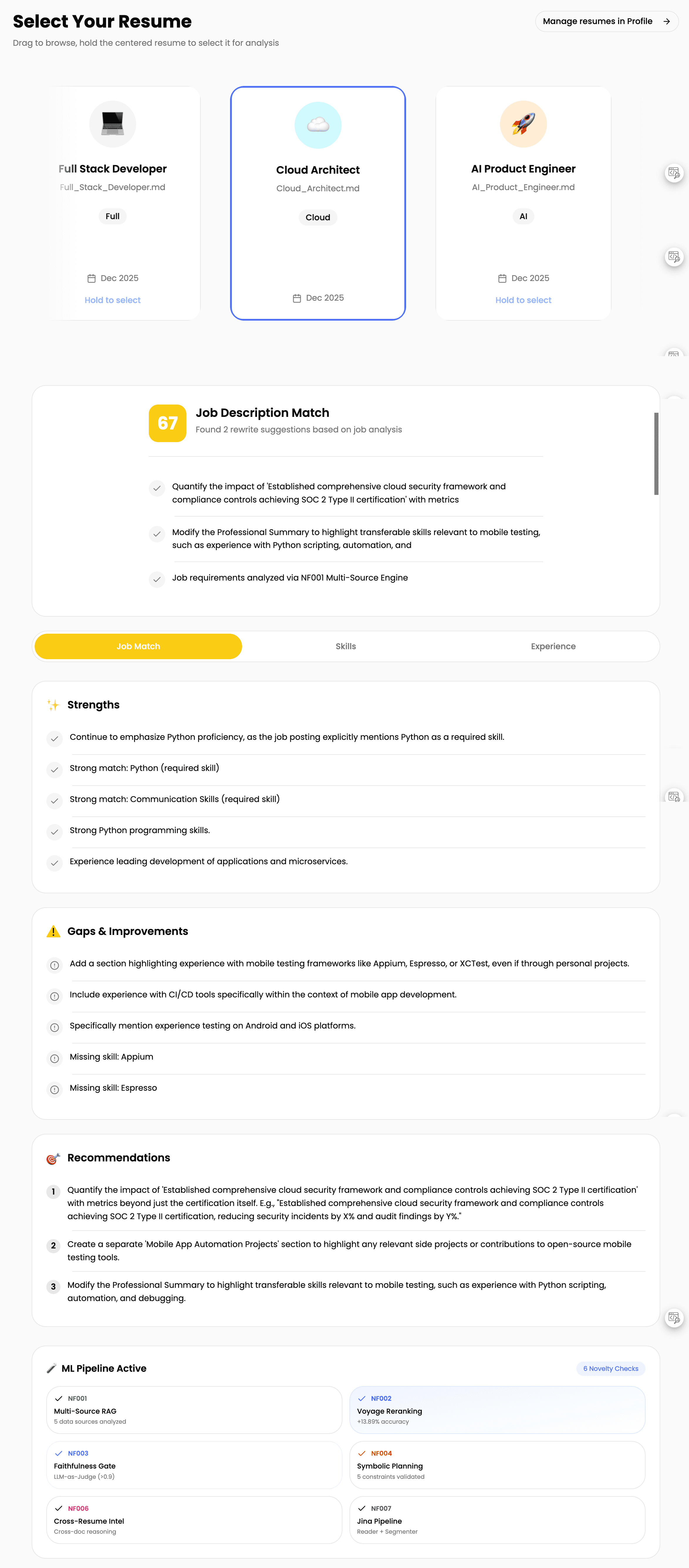
The Neural Gate uses LLM-as-Judge to verify every claim. If SOKK suggests "Add your GraphQL experience", it checks: Does the job actually require GraphQL? Do you actually have GraphQL experience somewhere in your documents?


The Symbolic Gate enforces quality stuff: mentions the job title, cites a real requirement, stays under character limits, professional tone, has a call to action.

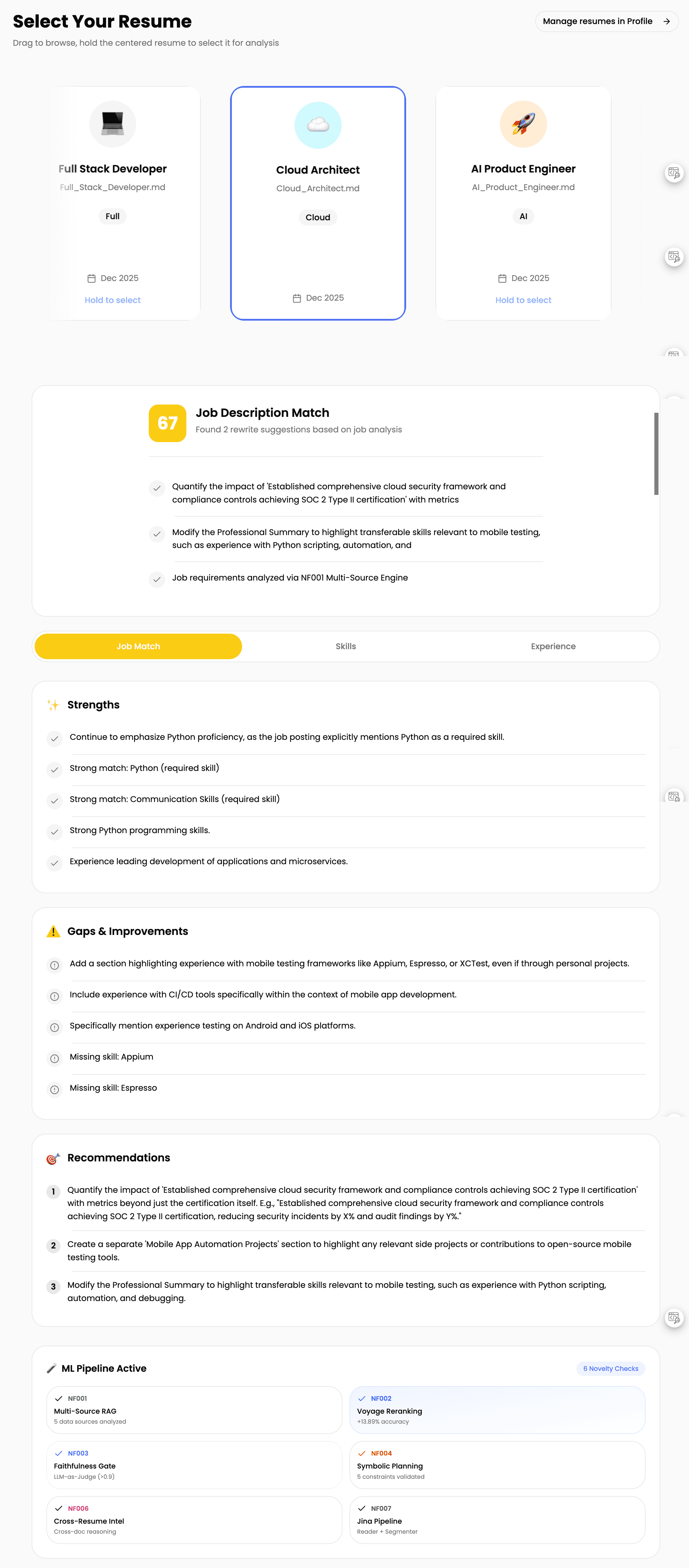
Result? Hallucination rate dropped from 24% to under 3%.
Why the cost trade-off works
This approach costs more. Gemini for AI, Voyage AI for RAG, Exa for research and crawling, other APIs. Companies building "done-for-you" solutions need to heavily optimize or cut features to operate profitably.
But for you personally? Spending a few dollars for actually accurate, personalized results makes sense. That's why DIY workflow systems with AI are worth exploring. Open source LLMs make it cheaper now. You have options.

The revelation
After SOKK, something clicked. Wait. I can RAG my entire codebase for smarter AI agent development.
If you use Cursor, GitHub Copilot, or WARP, it's the same thing they call "indexing codebase." Makes the whole experience smarter instead of searching everything every time you ask a question.
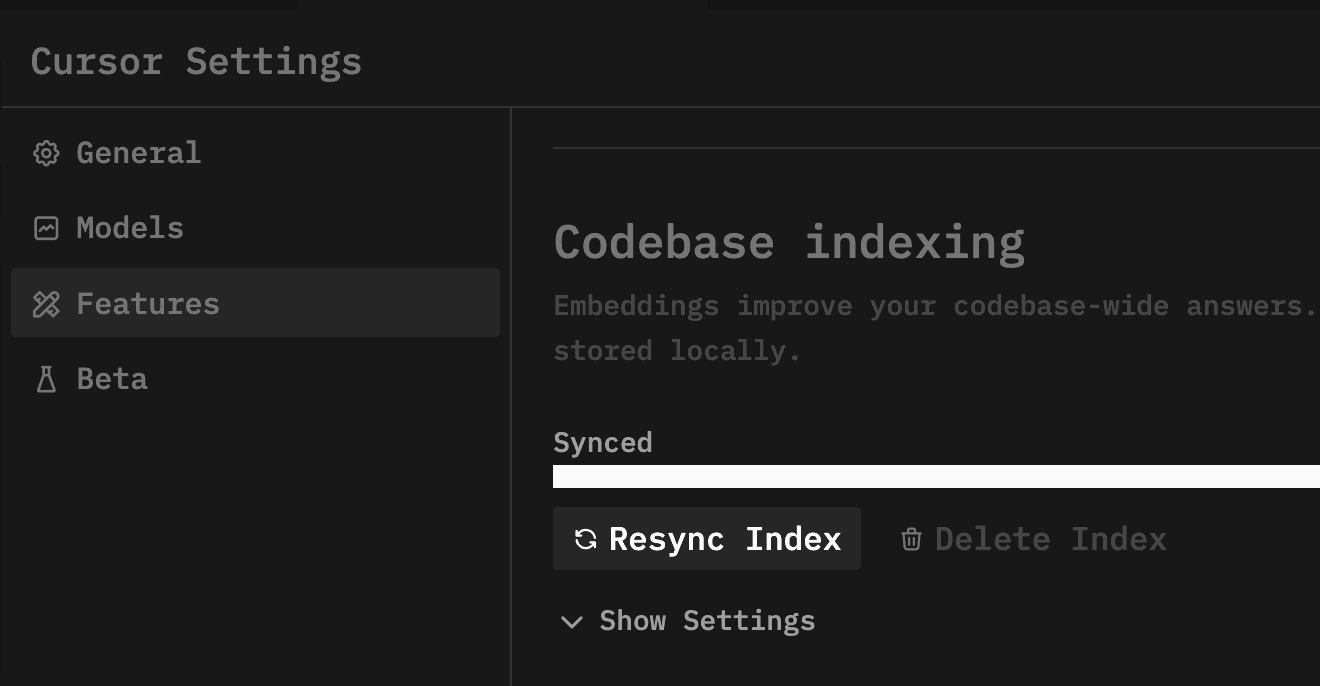
What you get: finding code by meaning instead of just keywords. Only relevant code pulled into context. AI actually understands your patterns, your architecture, how you do things.
This isn't about finding files faster. It's about giving AI actual understanding of your project instead of treating every question like a fresh start with amnesia.
UOCE: my context engine
I experimented a lot and built my own system called UOCE (Universal Oak Context Engine). It RAGs with two embedding types: Voyage Context for markdown and docs, Voyage Code for actual code. Then reranks everything using RRF (Reciprocal Rank Fusion).
Made the system git and commit aware too. It knows what changed recently, what's been stable, what's new.
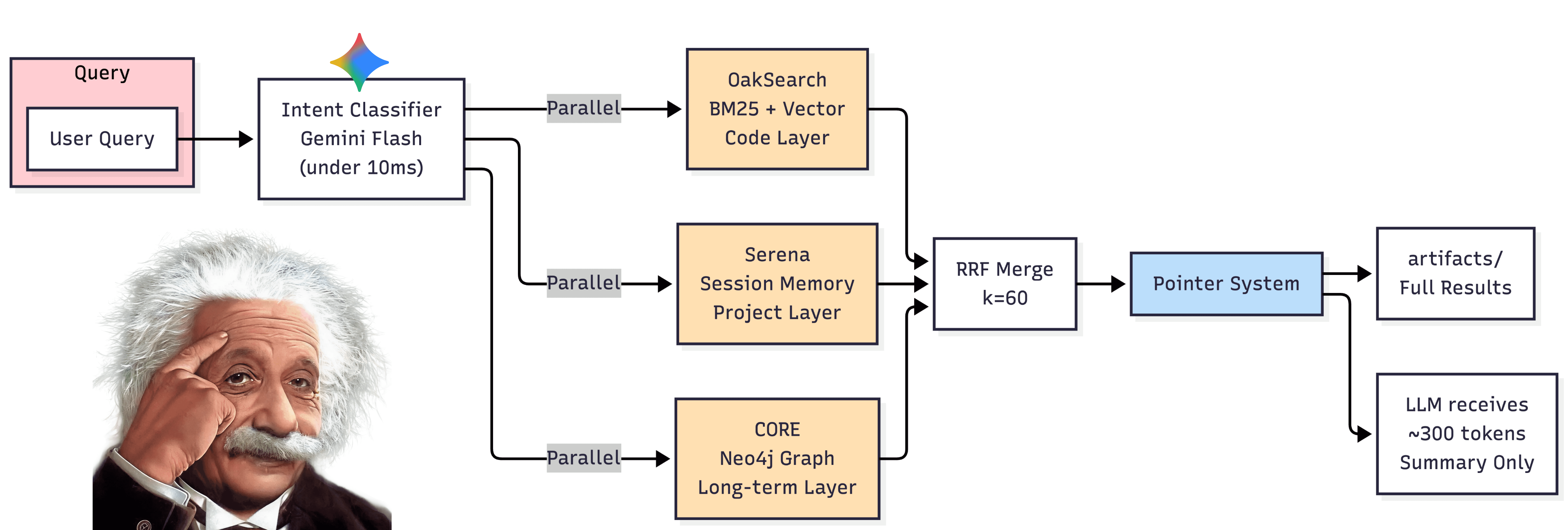
Three queries run in parallel. OakSearch does hybrid BM25 + Vector search with 0.3/0.7 weighting for the codebase. Serena handles session-specific memory for the current project. CORE is long-term graph memory across all projects.
Results merge using RRF fusion. The pointer system sends full results to disk while only a ~300 token summary goes to the LLM. Gets 67-95% token reduction while keeping context quality.
But here's the thing. This is stuff everyone does now. It makes AI smarter across the project codebase. Still doesn't solve the context window memory degrading problem though.
The memory solution
So I fixed the memory problem with a dual-memory architecture.
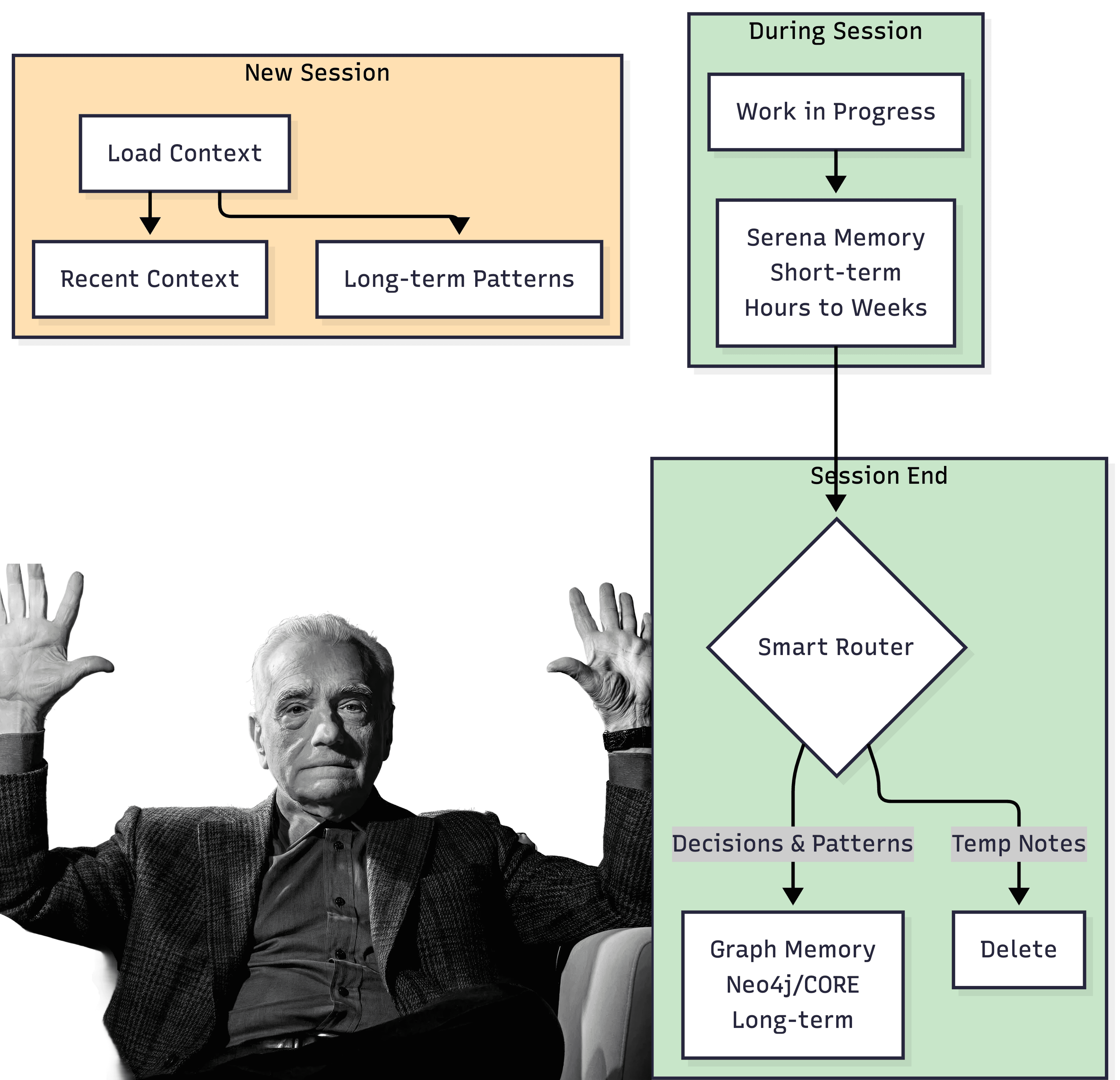
Serena Memory handles short-term, project-specific context. Saves session context and directory structure. I write handoff notes before every session or when moving to the next task, then load those contexts back for new sessions. Think of it as "where was I" memory spanning hours to weeks.

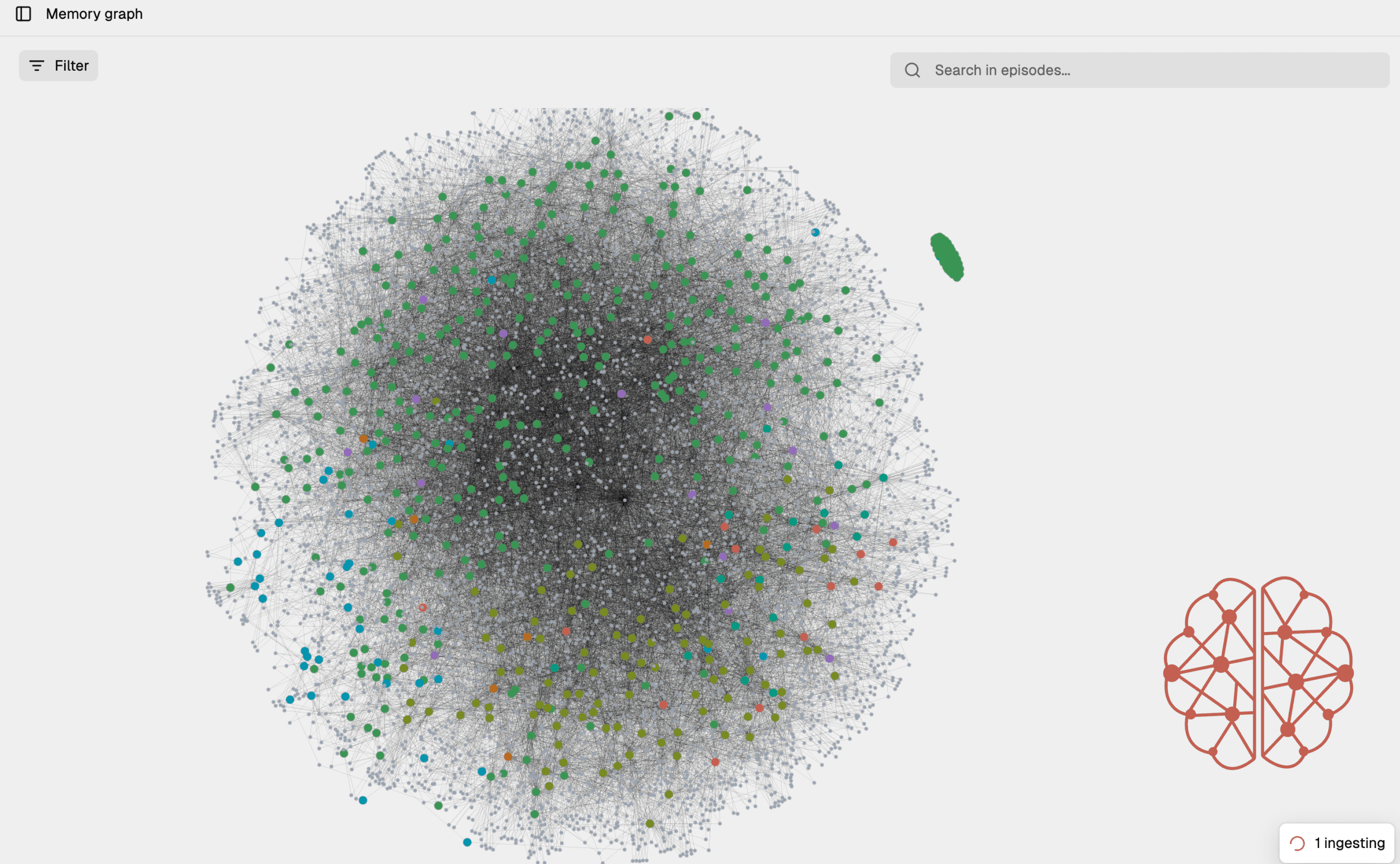
Graph Memory connects everything like a neural network for long-term storage across all projects. I built my own local Neo4j graph system with Gemini Flash intent search. It saves my preferences, best practices I've learned, architectural decisions. A second brain that gets smarter over time.
The routing is simple. Session context and implementation notes stay in Serena (temporary, project-specific). Architectural decisions and patterns get promoted to CORE (permanent, cross-project). Temporary debugging notes get deleted.
Here's what took me a while to learn: not everything deserves to be remembered. Smart forgetting matters as much as smart remembering.
Automation with hooks
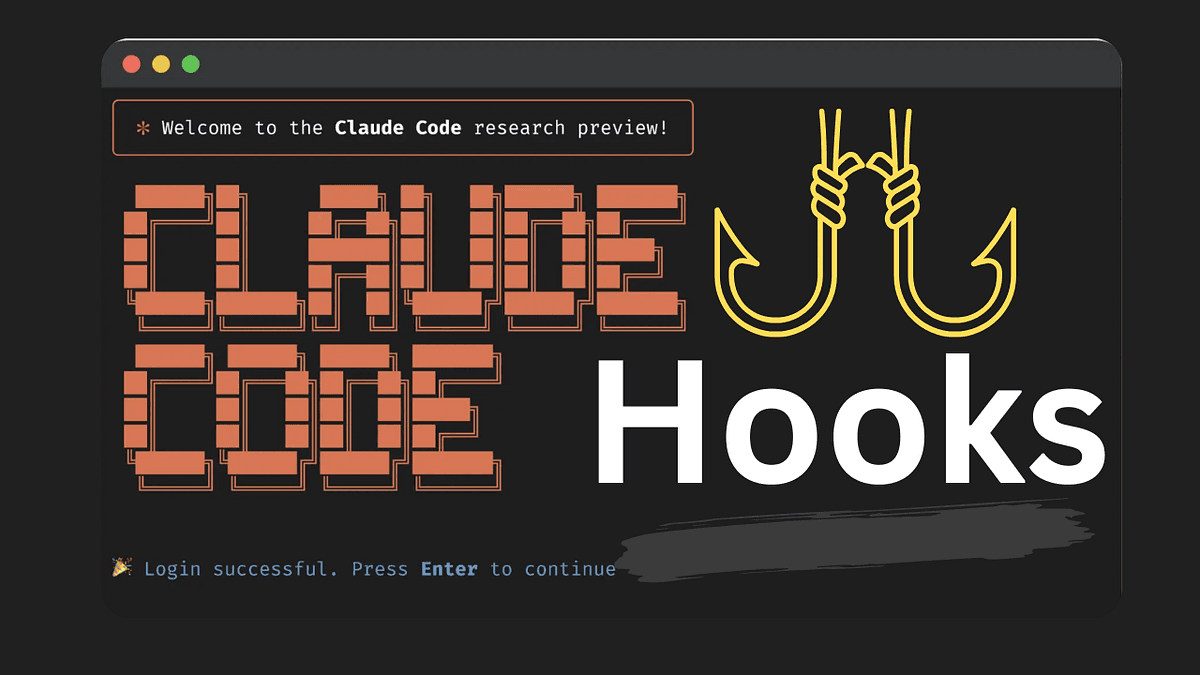
I still had to manually trigger saves and loads. Annoying. So I used Claude hooks to set up smart auto-triggers.
The hooks use Gemini Flash to identify intent instead of spamming saves on every action. It figures out when something's worth remembering versus when it's just routine debugging noise.
What the triggers check: Is this a decision or just an experiment? Is this pattern reusable or project-specific? Is this a checkpoint moment or mid-task noise?
Took the manual overhead out of the memory system. Now it runs in the background, capturing what matters.
Recommendations
Some tools that have worked for me:
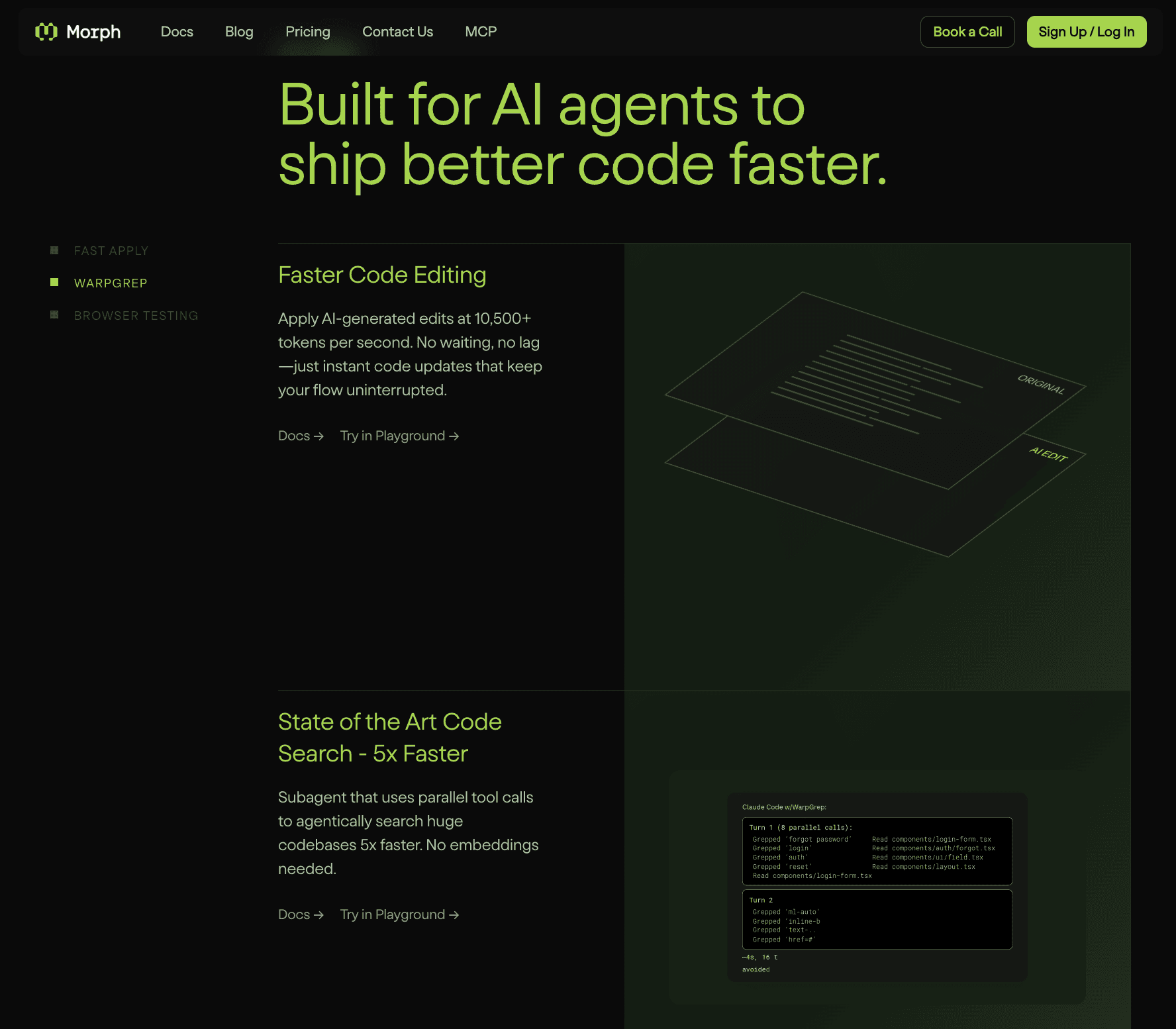
Serena MCP for memory saving and session context. Neo4j or Core Memory for graph storage (Core Memory sets up everything, it's open source. I forked my own version). Morphllm Edit Tool for bulk edits across multiple files. Morphllm Warpgrep Tool for semantic search across the codebase.
These have helped me get more out of the LLMs I use. The workflow's been good.
What I'd do differently
Looking back, a few things would have saved me time.
Like I mentioned from Ecosmartloop case study, Context engineering matters more than prompt engineering. Once I started giving AI specific context instead of generic prompts, suggestion quality changed completely. I spent too long trying to write perfect prompts when the problem was always the context.
Build incrementally. I over-engineered the memory system before validating that basic RAG even worked for my use case. Should have proven value at each layer before adding complexity.
Test memory systems early. The handoff protocol was an afterthought. Should have been designed from day one. The amount of context I lost between sessions in the early weeks hurt.
More aggressive checkpoints. I now save every 30 minutes, not just at session end. Losing an hour of context to a crash taught me that one the hard way.
Metrics and research
Here's what the data shows:
Metric | Before | After | Source |
|---|---|---|---|
Hallucination Rate | 24% | <3% | SOKK dual-gate verification |
Retrieval Accuracy | Baseline | +13.89% | Two-stage retrieval pipeline |
Context Degradation | Log-linear decay | Mitigated | Memory system |
Token Usage | Full context | 67-95% reduction | UOCE pointer system |
Research that backs this up:
RAGTruth (ACL 2024) analyzed ~18,000 responses. RAG helps but doesn't eliminate hallucinations without verification. Source
HALoGen (ICLR 2025) benchmarked 150,000 generations from 14 models. Source
Proactive Interference Study (arXiv:2506.08184) shows log-linear decay in retrieval accuracy from interference, not just context length.
Context Discipline Study (arXiv:2601.11564) shows 1000%+ latency increase at context boundaries. Practical limits hit at 80-85% of theoretical maximum.
What I experienced matches the research: RAG improves relevance but doesn't fix hallucination (verification does), and context degradation is about interference patterns, not just token counts.
Broader application
This isn't just for coding. You can see the same patterns showing up in general chat products now.

Perplexity, GPT, Grok are all adding memory across chats. The industry figured out that stateless AI conversations hit a ceiling. Memory's becoming expected.
The patterns I built for SOKK and UOCE are the same patterns these companies are implementing at scale. I just built mine tailored for my specific workflow.
Tech stack
Frontend: React, NextJS, Vite, TypeScript, ShadCN UI, Motion Plus, Figma Make
Backend: FastAPI, Python, Pydantic
Database: Supabase (PostgreSQL + pgvector)
AI Services: Gemini Flash, Voyage AI, Jina Reader, Hunter.io, Exa
Memory: Serena MCP, Neo4j/CORE Memory
Dev Kit: Claude Code, UOCE (Custom Made), Morphllm
At this point of writing this case study, I'm job searching while building out these workflows. Will share more after I land something.
Highlights
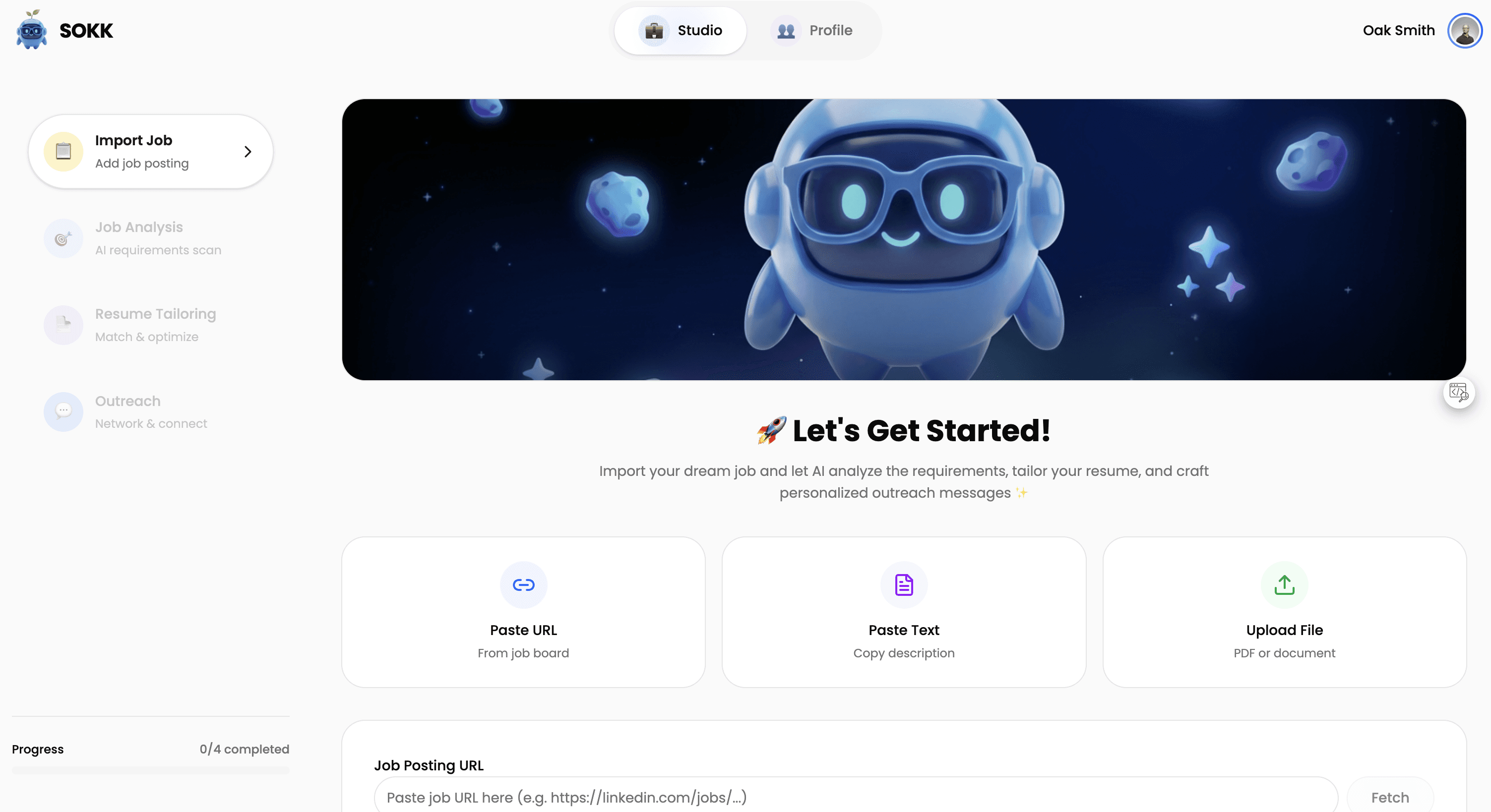
Step 1: 📋 Import Job
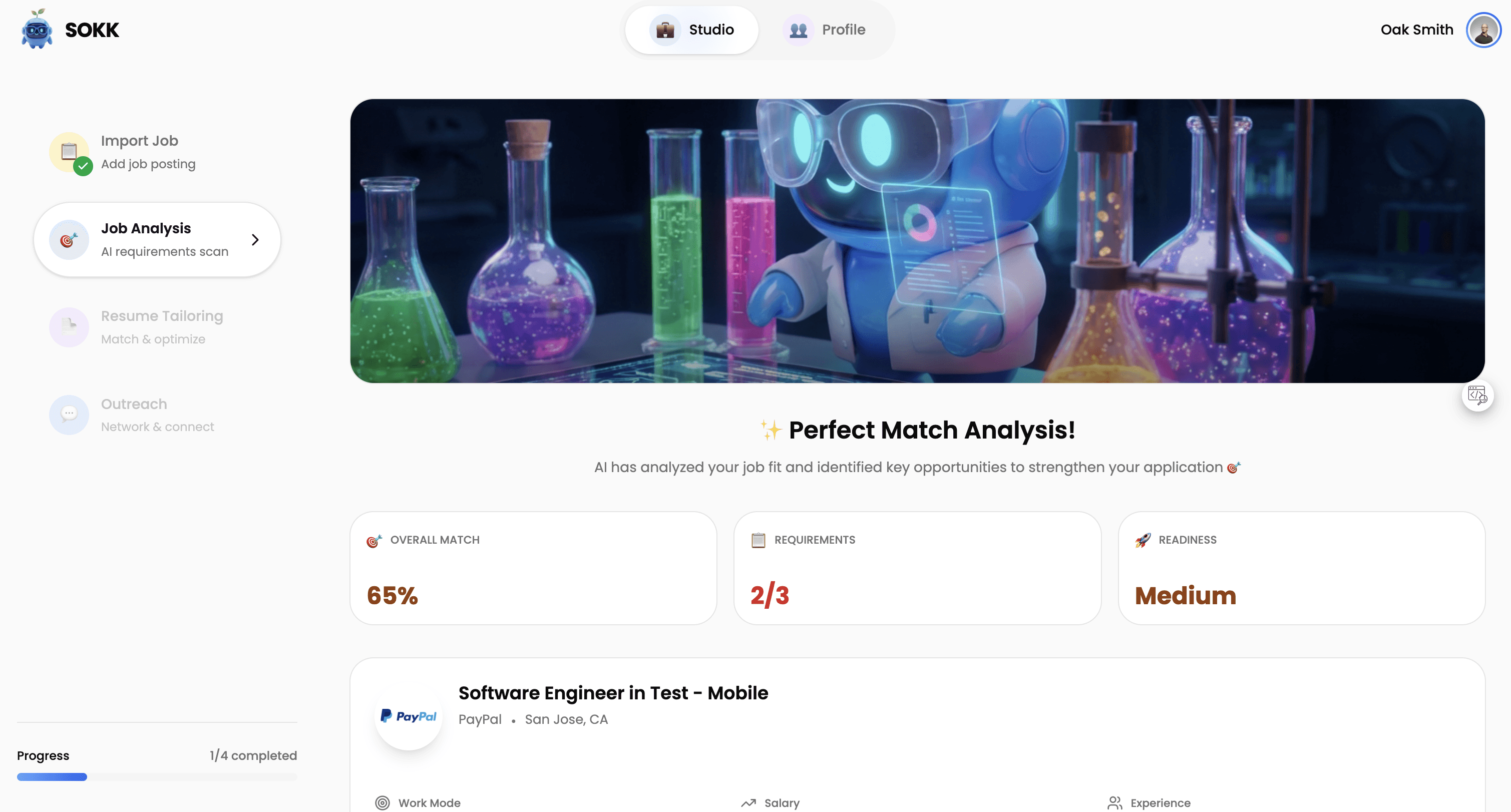
Step 2: 🎯 Job Analysis

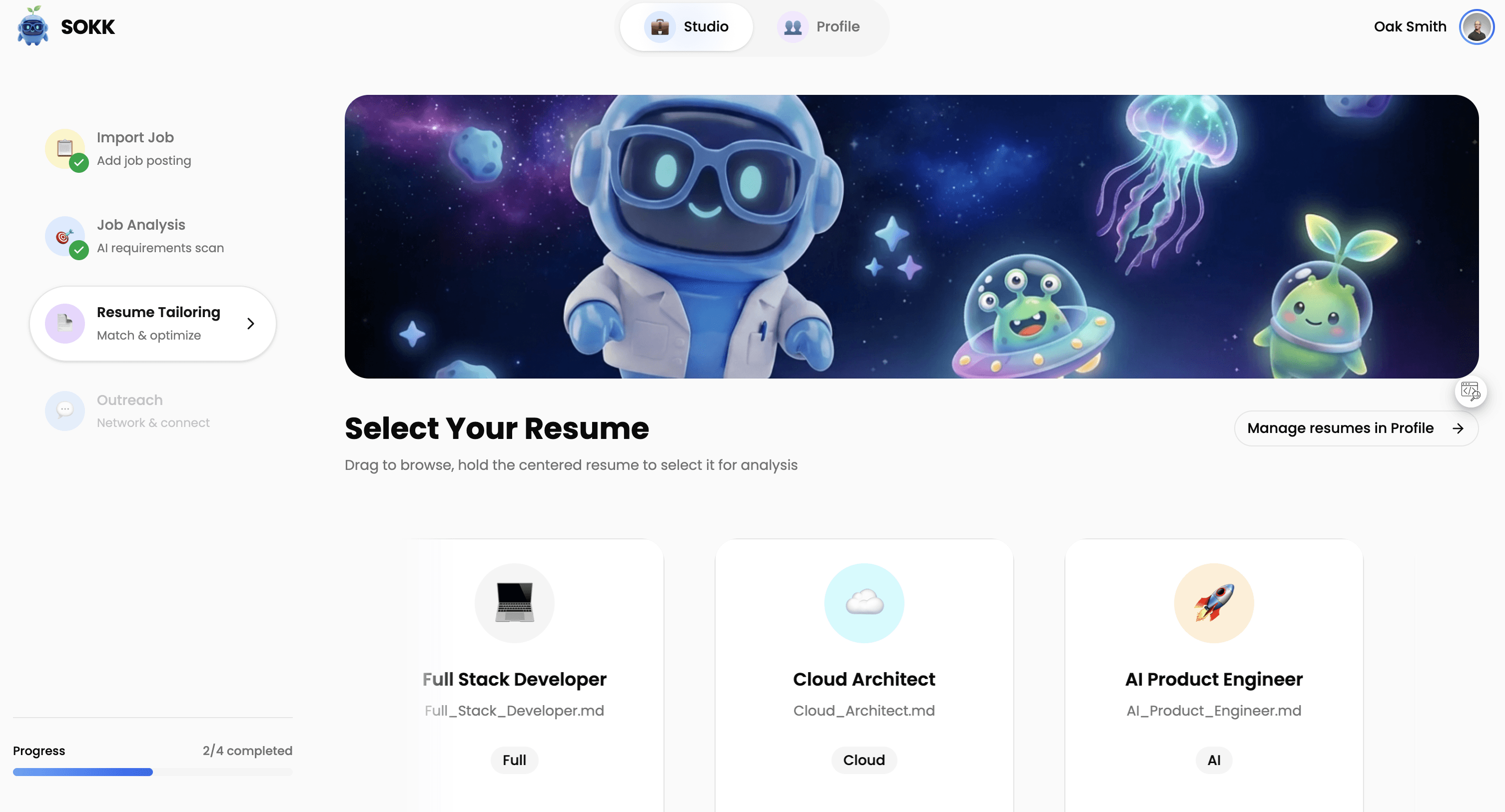
Step 3: 📄 Resume Tailoring
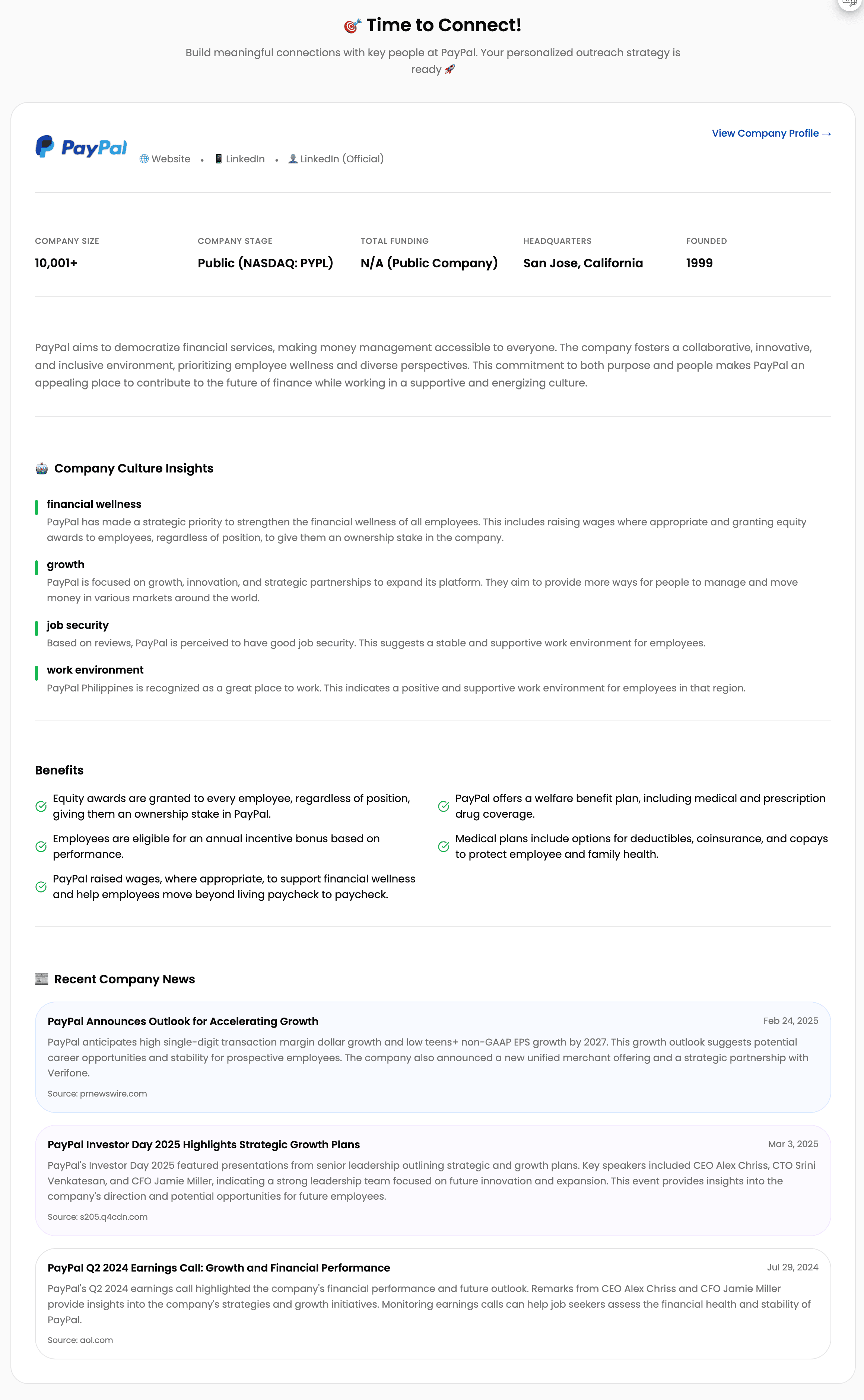
Step 4: 💬 Outreach


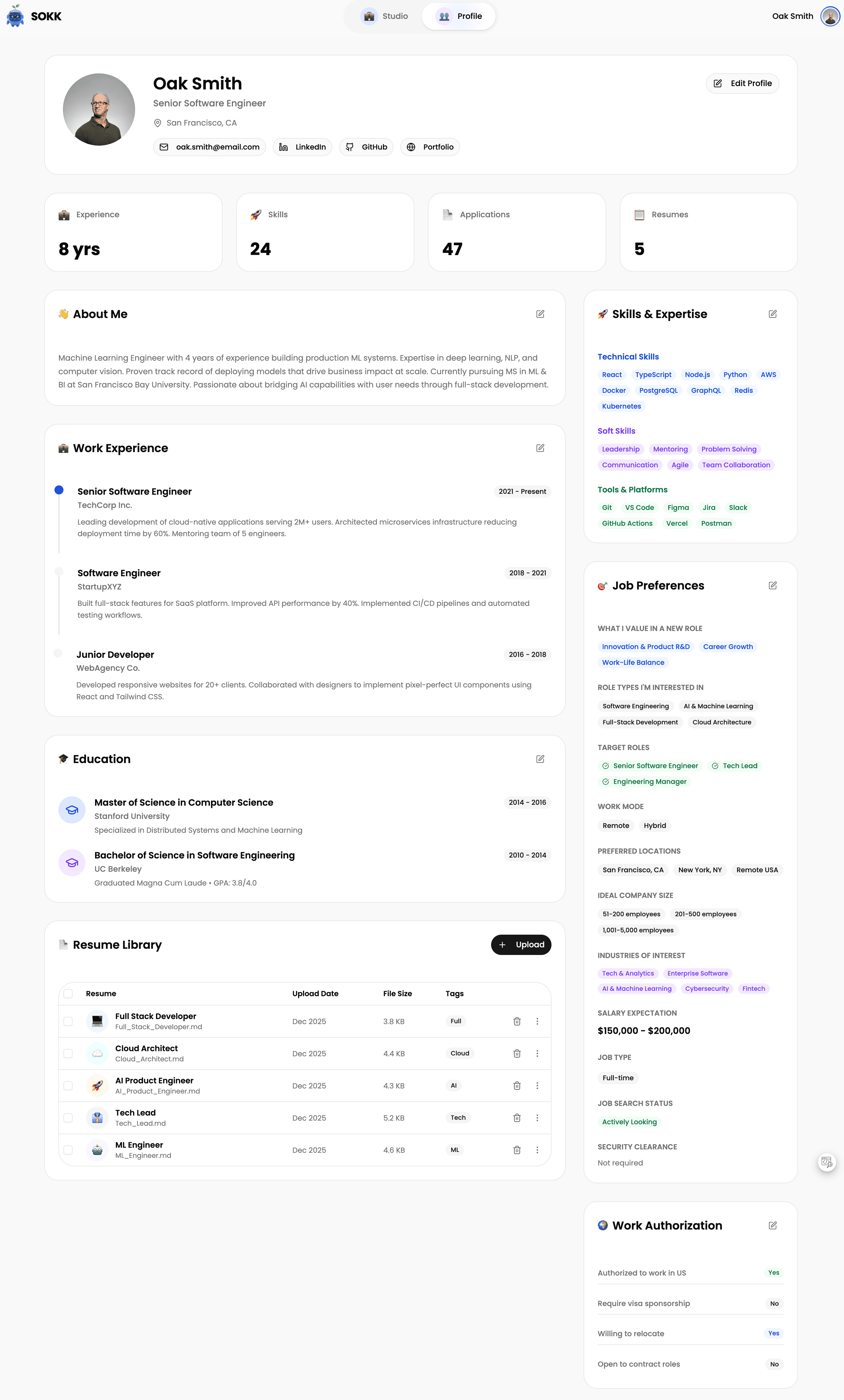
Profile Page
" height="27.75px" id="uLviGCnmH" width="32.250290101110345px"/></svg>)
" height="30.750000122616527px" id="vGhZKbMSS" width="30.75px"/></svg>)
" height="30.750000122616527px" id="TPi0p5D9h" width="30.75px"/></svg>)
" height="30.750000122616527px" id="fXIphKa5h" width="30.75px"/></svg>)